
ARTIPIC GRAPHICS EDITOR
Explore
Enhance
Create
Image editing software for creative professionals
Made for art, built for people
33 € / year
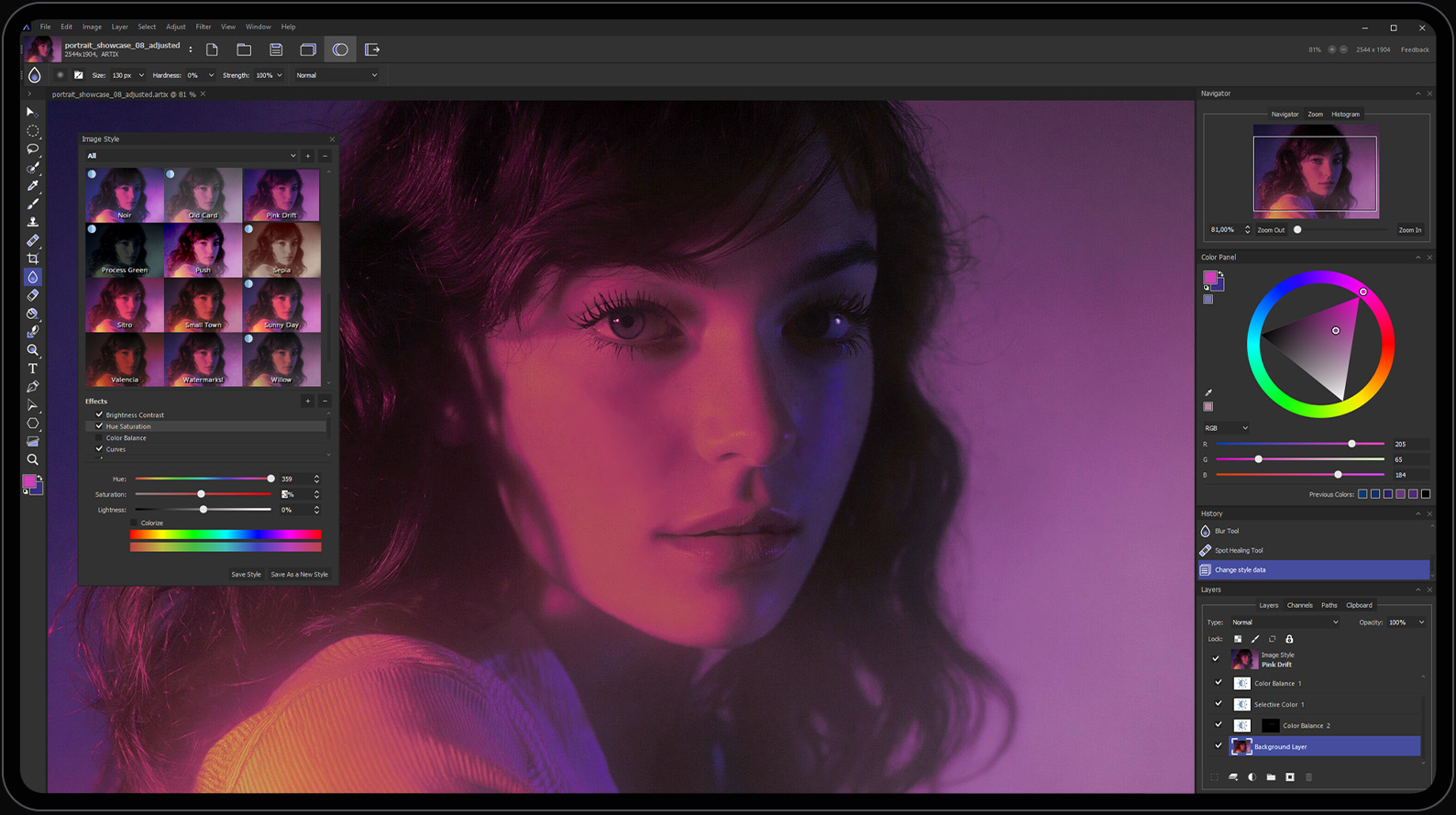
Power your creativity
Everything you need to create and enhance images in one powerful application
From digital painting and photo retouching to advanced color grading and visual design
Artipic gives you complete creative control

Brushes
Customizable brushes and .ABR import for complete artistic control

Layers
Build complex compositions with layers, adjustment layers and layer groups

Masks
Layer masks and clipping masks to apply adjustments exactly where they’re needed

Gradients
Choose from a collection of built-in gradients or design your own

Color Correction
Fine-tune every aspect of your image with selective color adjustments and color range editing

Filters
Enhance your work with professional filters including blur, sharpening, glow and more
Create without limits
Intuitive interface and powerful editing engine
Complete set of professional editing tools
Precise control over every detail
Color & Light
Adjust brightness, contrast, gamma, exposure, shadows, highlights, and individual color ranges
Filters & Effects
Apply high-quality effects instantly to an entire image or selected areas while maintaining flexibility
Selection Tools
Quickly isolate subjects, colors, or specific areas for precise editing and masking
Blending Modes
Explore blending modes to create rich compositions, lighting, and unique effects
Blur & Sharpen
Guide the viewer’s attention by controlling sharpness, depth, and focus
Quick Styles
Save your favorite styles and apply them to future projects with a single click
Typography
Add beautifully formatted text with complete control over fonts, spacing, alignment, and styling
Drawing Tools
A versatile collection of brushes, dynamic settings, shape tools, and tablet-optimized drawing features
PRICING
Choose the plan that fits you
Special pricing available for educational institutions
Start with a 14-day free trial and explore every feature without limitations
Choose your platform
Choose your operating system and start creating in minutes. Whether you’re editing photographs, creating digital artwork, or designing assets for games and animation, Artipic gives you everything you need in one powerful application.


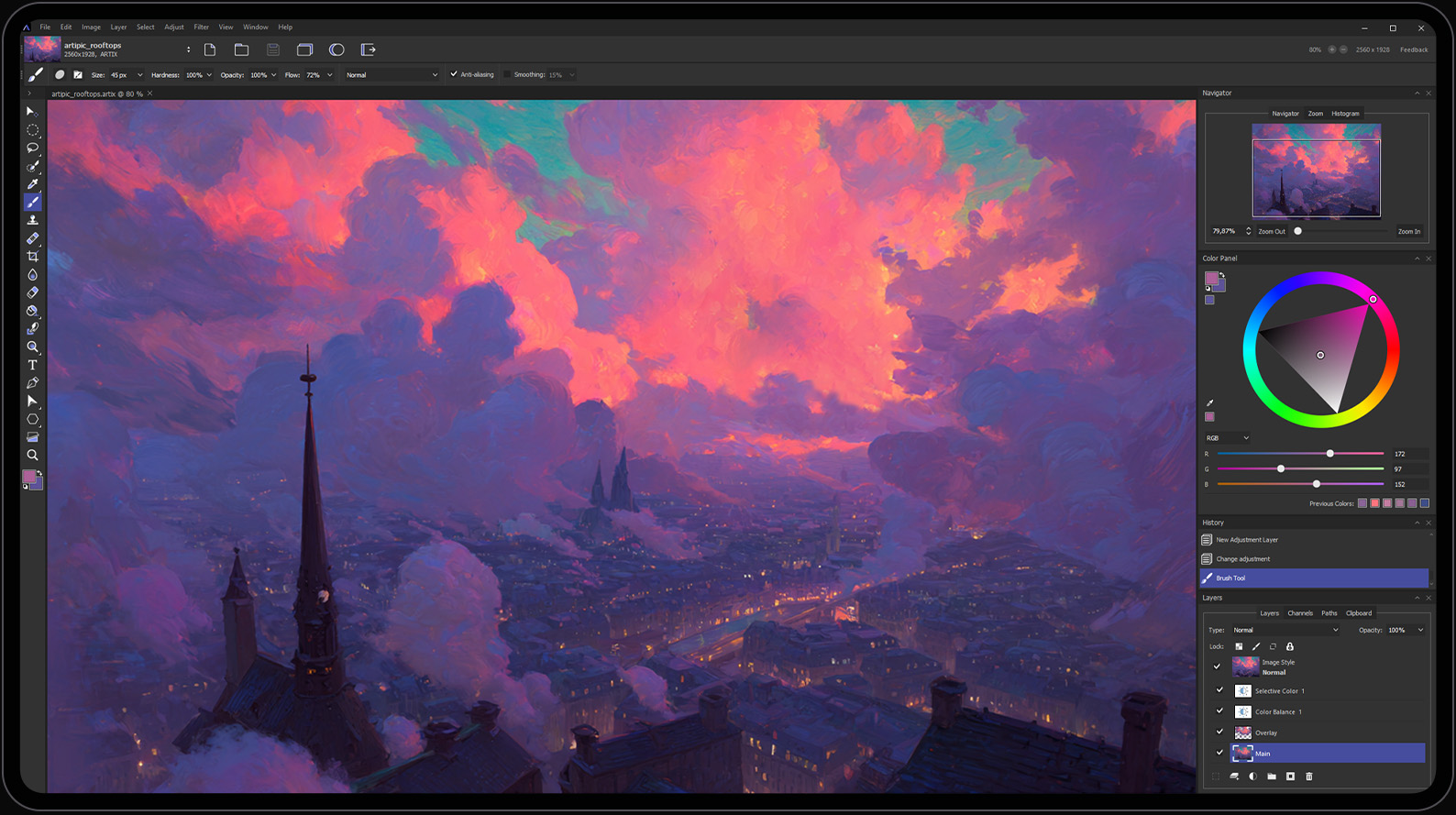
Start creating today
Download Artipic and explore every professional feature with a 14-day free trial. No feature restrictions, just powerful creative tools, ready when you are.
FAQ
- Windows 7 and later
- Linux AppImage (compatible with most Linux distributions)
To ensure smooth performance, we recommend:
- 8 GB RAM or more
- 2 GHz processor or faster
- 10 GB of available disk space
While Artipic requires significantly less storage, additional free space helps maintain optimal performance when working with large files and complex projects
- English
- German
- French
- Portuguese
- Swedish
- Russian
A native macOS version is currently in development and is planned for release in 2026
Artipic works with all major raster image formats, including: (BMP, JPG, PNG, TIF, WEBP, and more), supports PSD and ABR, RAW formats from leading camera manufacturers, including: 3FR, ARW, CR2, CRW, DCR, DNG, KDC, MEF, MOS, MRW, NEF, NRW, ORF, PEF, RAF, RAW, RW2, SR2, SRW, X3F
Yes. Every new user receives a 14-day free trial with unrestricted access to every feature. No credit card required. Simply download Artipic and start creating
Yes. Artipic Lifetime License is available for 399 €
Purchase your preferred plan directly from our website.
After your order is complete, your license key will be delivered by email.
Each license can be activated on one device.
If you need to use Artipic on multiple devices, additional licenses are required.
Comprehensive documentation is available in PDF: User Guide
We’d love to hear from you
Have a question, found a bug, or have an idea for a new feature? Our team is always looking for ways to improve Artipic, and your feedback helps shape future releases.
Latest release
Artipic 3.8.0
July 16, 2026
New Features:
Added a Welcome Screen
Completely redesigned Batch Processing interface
Added quick file creation templates (Create New File)
Added the ability to hide the Preview Slider
Added the ability to soften selection edges (Soft Edges)
Added the ability to open the Styles panel from the main toolbar
Improvements:
Optimized all selection tools
Optimized style application when moving layers
Optimized the Styles settings window in Preferences
Optimized the main application toolbar (Main Toolbar)
Optimized adaptive widget resizing
Optimized standard widget sizes for QHD monitors
Optimized the intensity of adjustments (brightness, contrast, saturation)
Updated default image styles (Image Styles)
Updated interface elements
Bug Fixes:
Fixed image distortion when using the Warp Tool
Fixed incorrect layer movement when style is disabled
Fixed toolbar display when pressing Tab
Fixed PSD file preview rendering
Fixed HEX color code display
Fixed the Pen Tool shortcut key